
The Owner Console
A web page for running the box without the terminal — three tabs to control the box, manage members, and share department files. On by default.
Everything on this box can be run from the command line with nufi-box. It
also ships a web page — the Owner Console — that does the day-to-day
management without a terminal. It is on by default; a plain install has it.
The console answers only to the owner. It has no shell on the box: the commands
it can run are a fixed, read-only set, and every change it makes — inviting a
member, setting a file private, restarting the box — goes through the same
checks nufi-box would apply from the command line.
Signing in
The console answers on the box's own address, port 3009:
| Where | Address |
|---|---|
| On the office network | https://<name>.local:3009 |
| From home, once the box is on a coordinator | https://<name>.box.<domain>:3009 |
It has one password, generated at install and printed in the banner — it is
BOX_OWNER_PASSWORD in the box's .env. This is the owner's management
password, separate from the admin@ login people use for chat. Write it down
when the box is installed; the banner is the one time it is shown.
The page opens on the Administrator Dashboard, with three tabs — General, Users and File Sharing.
General — run the box
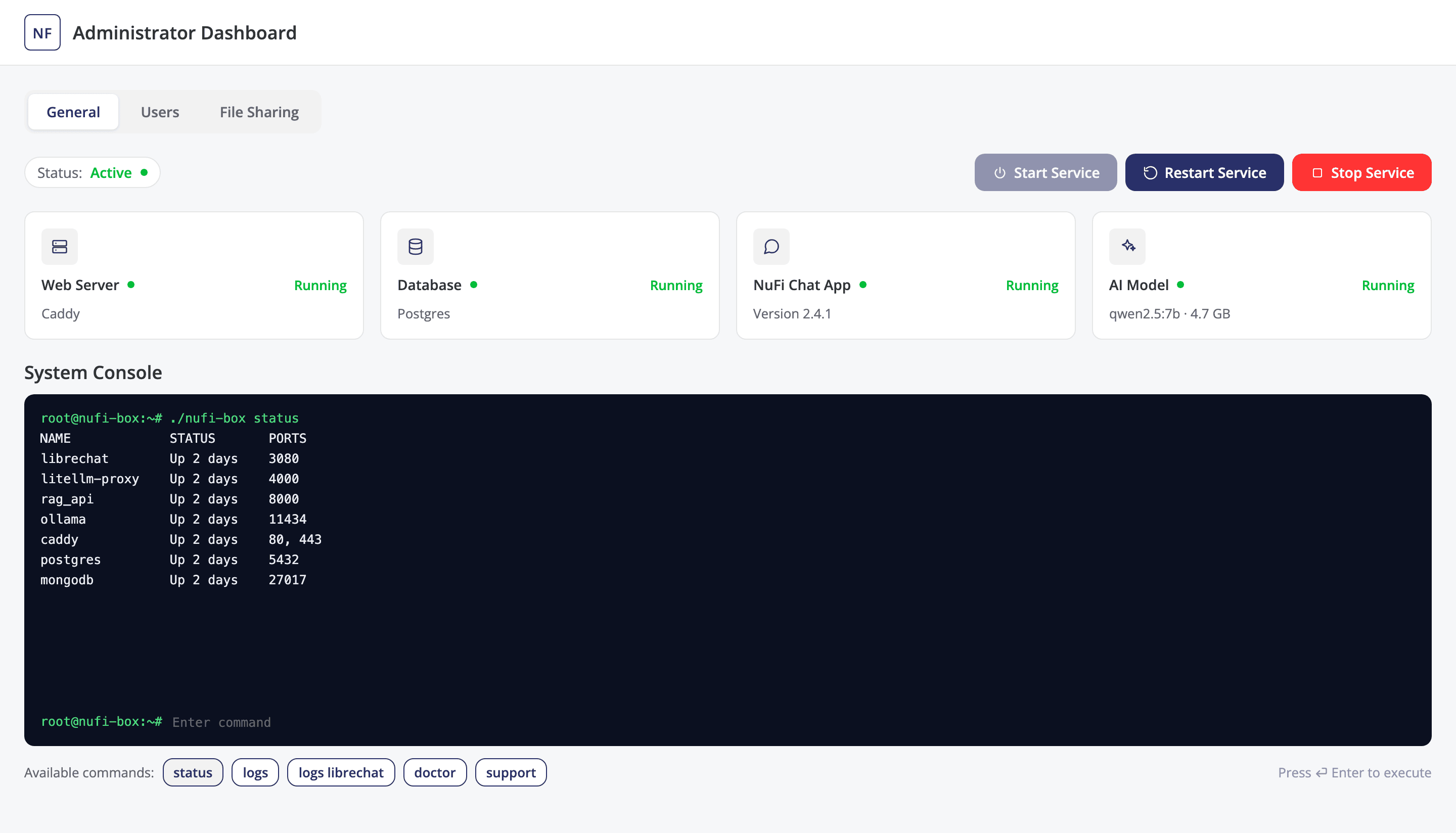
The first tab shows the box's health at a glance: a card each for the web server, the database, the chat app and the AI model, each reading Running or down, with a line of detail such as the model's name and size or the chat version.
One row of controls starts, restarts or stops the whole box. Restarting takes a minute or two while the AI models reload, and stopping disconnects everyone, so both ask you to confirm first; there is nothing to start while the box is already running, so that button rests until it is needed.
Below that is a System Console: a read-only window onto the box's own
diagnostics. Type or click one of status, logs, logs <service>, doctor
or support and it streams the output. It is not a shell — only that fixed set
of commands runs, and none of them changes anything.
Users — invite and manage members
The console's main job is bringing a laptop onto the box from home. Inviting a member is one click:
- The console mints a single-use key that expires in an hour.
- It gives you a
/connectlink to copy. - Send that link to the person privately — chat or email, never a public channel.
They open it, pick their operating system, and follow the short steps it shows
— run the connector it hands them (on a Mac, install the app and paste one
command). That trusts the box, joins their laptop and opens the box in their
browser. Their side is written up in
Using your department's box. This is the same
thing as nufi-box invite on the
command line, handed over as a link
instead of a file.
The members table lists everyone you have invited and where each one stands — Pending (invited, not joined yet), Activated (joined), or Expired (the link lapsed before it was used). Beside each you can copy or download their join file, regenerate a fresh link when the old one expires, or remove the member for good — a removed member needs a new invite to come back. To onboard a whole team at once, import a list as CSV; export writes the current members back out.
File Sharing — the department drives
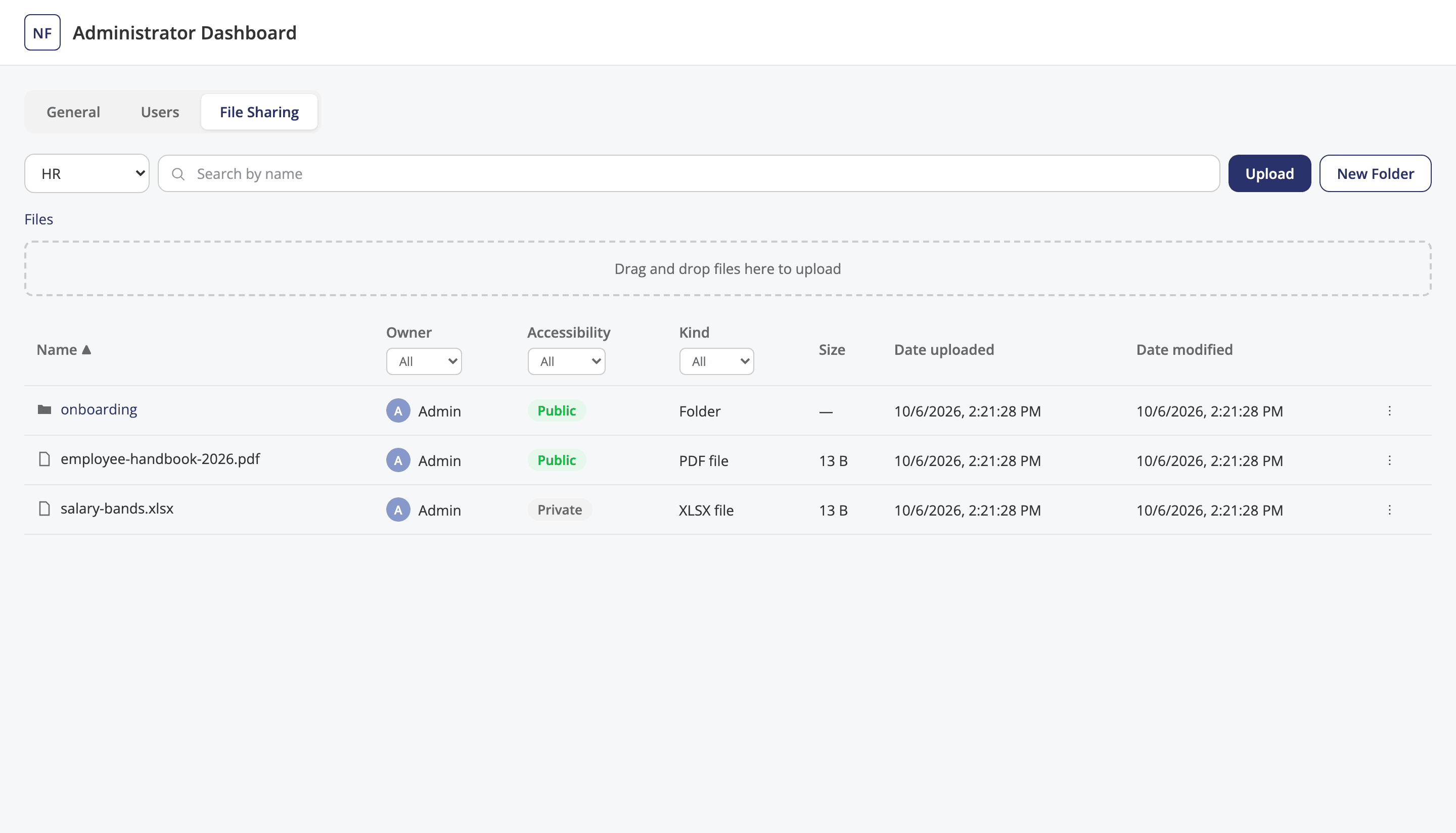
The third tab is a file manager for each department's shared drive. Pick a department and you can browse its folders, upload files, make new folders, and rename or delete what is there.
Each file and folder carries an accessibility setting — Public or Private. Public files are the ones the chat can read and cite; a Private file stays on the drive but is kept out of chat and search entirely. Set a whole folder to Private and everything under it follows, unless a file inside sets its own. This is how you keep, say, a folder of salary data on the HR drive without it ever surfacing in an answer.
Turning it off
The console is on by default. To manage the box only from the command line, install with:
./install-box.sh --yes --no-owner-consoleA box installed without it exposes nothing on :3009; everything the console
does has a nufi-box equivalent — see
On the LAN and from home.