
Capabilities (Grants)
Grant each role the admin capabilities it should hold.
The Grants page lists every role and the capabilities it holds. Capabilities are the unit of authorisation in the admin panel: you grant a role a set of them here, then add people to the role on Access.
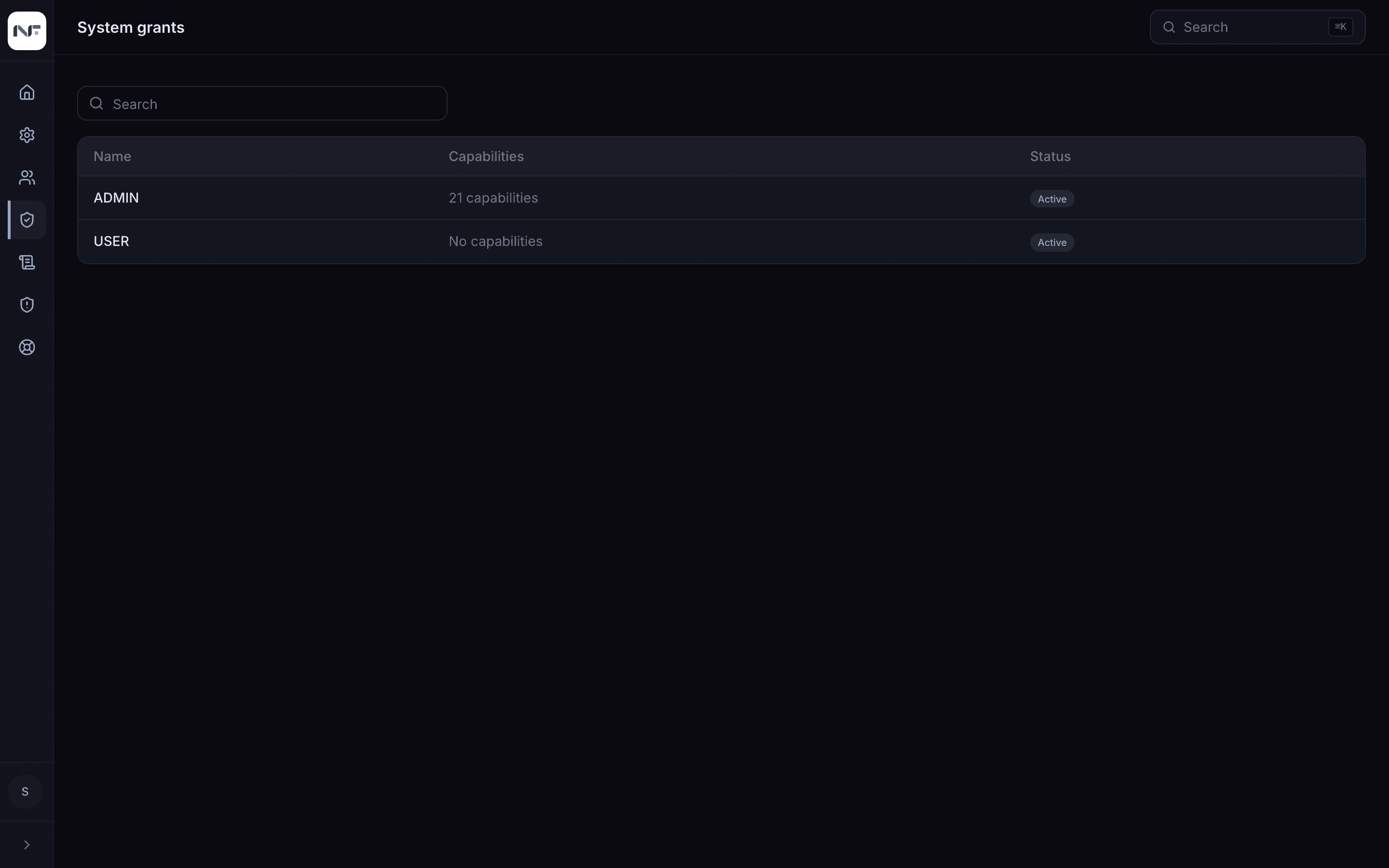
Each row is a role, how many capabilities it holds, and whether it is
active. Out of the box, ADMIN holds every capability and USER holds
none.
Edit a role's capabilities
The Permissions tab inside a role on the Access page is a different thing: it toggles the app's features for that role (prompts, agents, memories, MCP servers, bookmarks, temporary chat, code execution, web search, file search, the marketplace, and so on). Admin capabilities live only here.
What capabilities cover
| Area | Lets the role |
|---|---|
| System | sign in to the admin panel (access:admin); read usage |
| Users | view members, add and remove them from roles and groups |
| Roles | view and define roles |
| Groups | view and manage groups and their members |
| Configuration | view and edit the base configuration and profiles |
| Content | manage shared agents, prompts, skills, assistants, MCP servers, files |
access:admin is the one every sub-admin role needs, or its members
cannot sign in to the panel at all. The exact names come from the app's
authorisation schema; the set grows with the product and you cannot add
to it from the panel.
How enforcement works
Capabilities are checked on the server, on every admin API call, not only in the interface. A screen that forgets to hide a control still cannot be used without the capability behind it.