
Publishing a flow
Turning a flow into an endpoint your own code can call, the key it needs, and who is allowed to hold one.
A flow that only runs in the Playground is a prototype. Publishing turns it into something your code can call, with the flow doing the work behind it.
The key
Calls are authenticated with a NuFi Studio API key — a different thing from the gateway key that lets Studio reach models. This one lets your code reach Studio.
On NuFi's hosted Studio, an account that signed in through NuFi cannot create an API key. Studio treats a NuFi session as externally authenticated and refuses to mint a key for it, so that no key can carry more access than the session it came from. Add New fails with "API key creation is disabled for externally authenticated users".
Ask a Studio administrator to issue the key from a local Studio account
that owns a copy of the flow. On an instance of your own, the setting is
LANGFLOW_EXTERNAL_AUTH_DISABLE_API_KEYS_FOR_EXTERNAL_USERS; it defaults
to true whenever the NuFi sign-in ceiling is on.
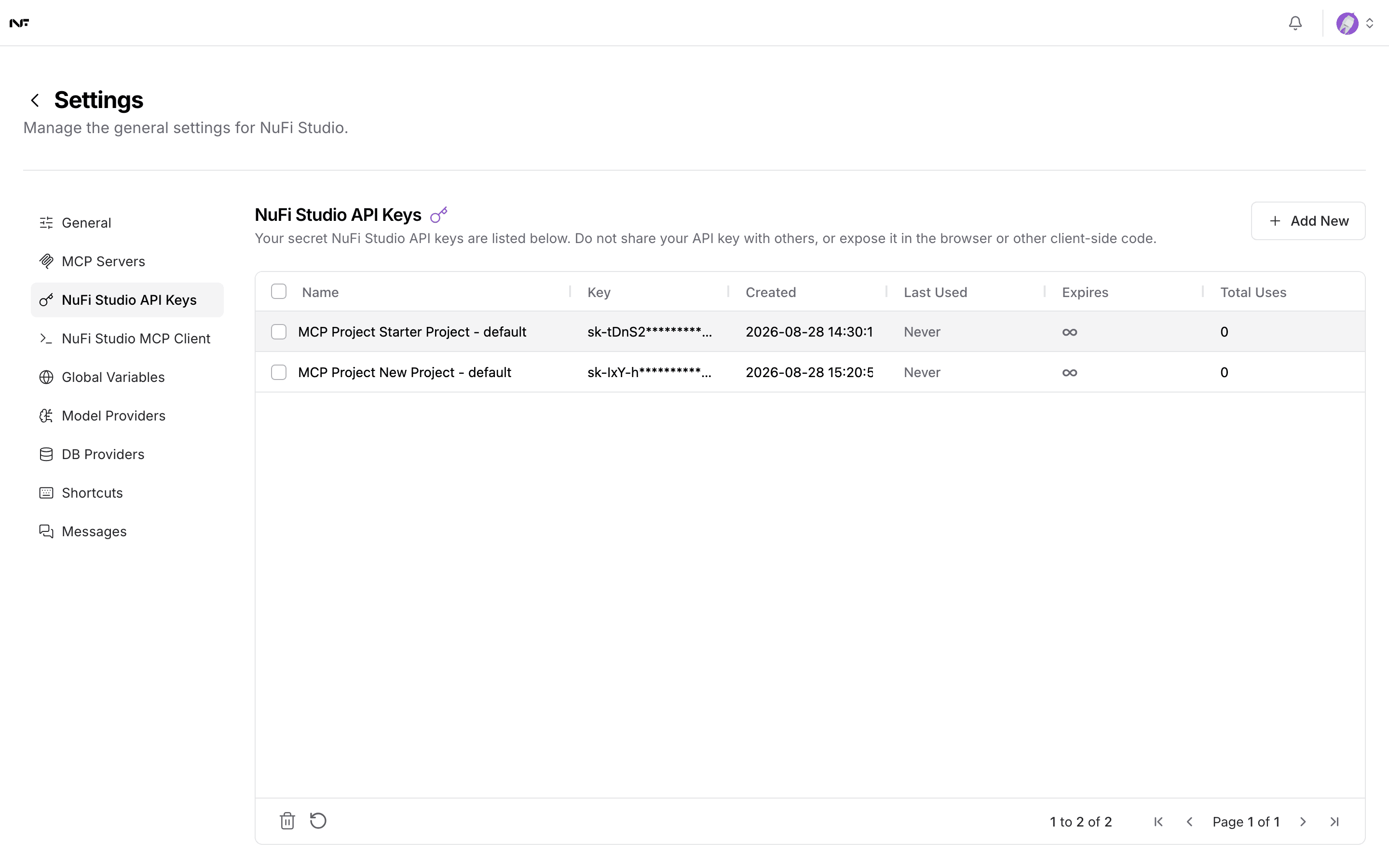
The table tracks Last Used and Total Uses per key, which is how you tell a key that is still in service from one you can revoke.
A key issued to you does not expire when your NuFi session does, and it does not carry your access level. Someone holding it keeps whatever it can do until the key is deleted. Give each caller its own key so you can revoke one without breaking the rest.
Calling it
Every flow has a run endpoint from the moment it exists. Share → API access on the canvas shows it with your flow id filled in, together with the request in several languages. The shape is:
curl -X POST "https://studio.nufi.me/api/v1/run/<flow-id>" \
  -H "Content-Type: application/json" \
  -H "x-api-key: <your Studio API key>" \
  -d '{"input_value": "Which clauses need escalating?", "input_type": "chat", "output_type": "chat"}'
input_type and output_type name the kind of component the message
enters through and leaves from; both default to chat, which is right for
any flow built from the chat templates. The reply carries the flow's
outputs, and the same call works from any language that can send JSON.
Before you publish
A published flow runs with the access it was built with. If it touches a knowledge base, anyone who can call the endpoint can ask it anything those documents can answer — including questions the caller should not be asking. Decide who can reach the endpoint before you hand the URL out.
Two more worth checking:
- Pin the model. A flow using a model that later disappears fails at call time, not at publish time. See Connect a model.
- Move secrets into variables. An exported or shared flow carries its component fields with it — see Variables and credentials.
MCP
A flow can also be exposed over the Model Context Protocol rather than as a plain endpoint, which is what the MCP Server tab beside Flows on the project screen configures. That is the route to take when the caller is an AI client rather than your own code.