
API keys
Generate keys in the console for your own code, call NuFi's gateway with them, and watch what they spend.
The console at console.nufi.me is where you manage API keys for
your own code — scripts, internal tools, integrations. If you only use
the app, you do not need this page.
You sign in at the app first; the console reads the same session. Open
it from the avatar menu → Console, or go to console.nufi.me.
Guide: Connect NuFi to your code.
What the console shows
Three tabs across the top:
| Tab | What is on it |
|---|---|
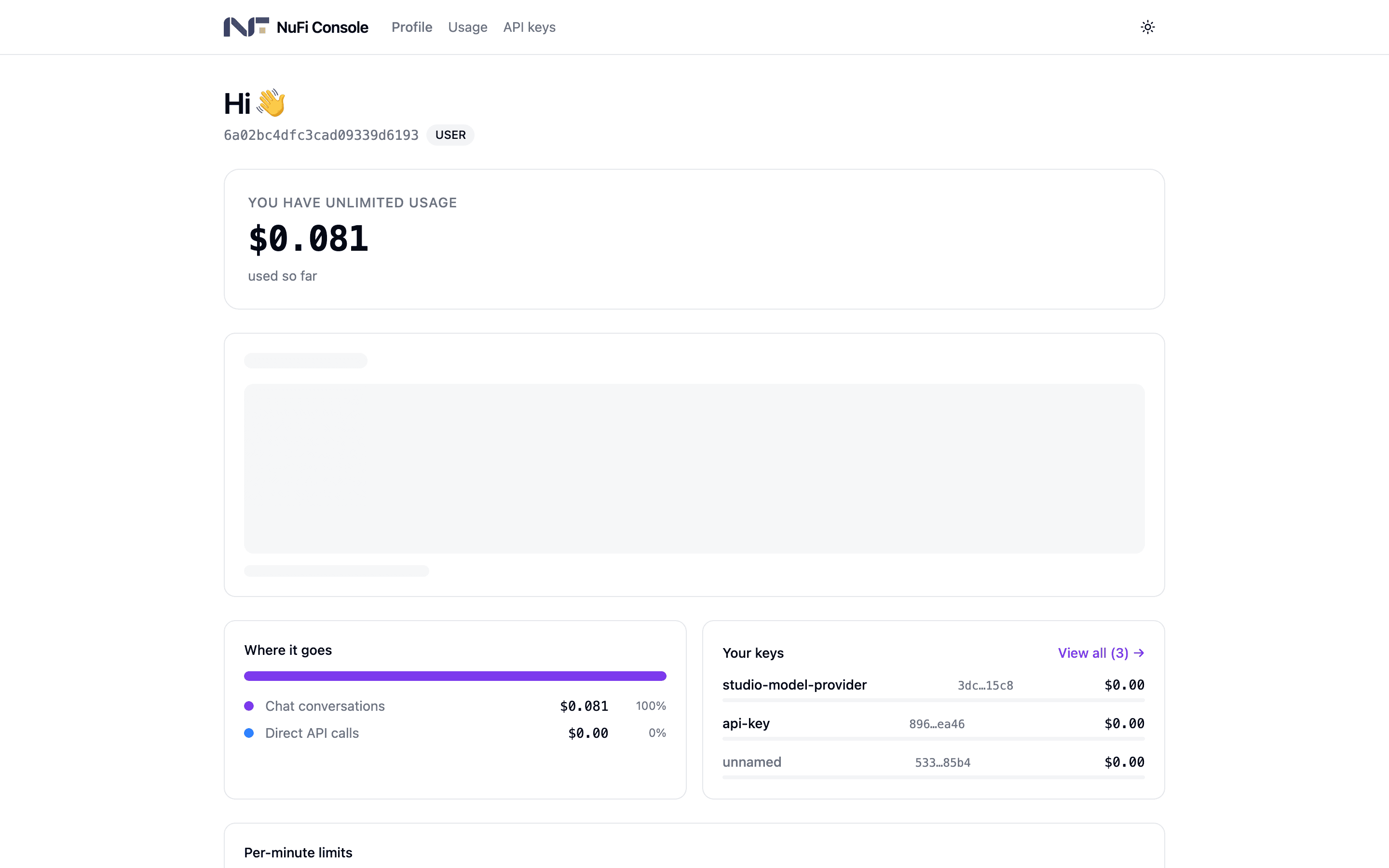
| Profile | Your email and role, how much of your budget is available (or unlimited usage), a 7-day usage chart, where the spend went, your per-minute limits, and your most-used keys |
| Usage | Charts for the last 7, 30 or 90 days, spend by model, and your 50 most recent requests |
| API keys | Every key you have generated: Name, Usage, Limits, Created, Expires, and a revoke button |
The first time you open the console, your account is set up with your organisation's default budget and limits.
Generate a key
laptop,
nightly-report. It is required.curl, Python and JavaScript snippets. Copy it, then click
I've saved it.After that the list shows only the first three and the last four
characters, sk-…d7c9. The console does not keep the full key. If you
lose it, revoke it and generate another.
Use a key
The gateway speaks the OpenAI API, so anything that can talk to OpenAI
can talk to NuFi: point it at the base URL below with your key. gemini
is the general-purpose model alias; the model picker in the app and the
console's own snippets list the others.
curl https://api.codechi.me/v1/chat/completions \
  -H "Authorization: Bearer sk-…" \
  -H "Content-Type: application/json" \
  -d '{
    "model": "gemini",
    "messages": [{"role": "user", "content": "hello"}]
  }'
from openai import OpenAI
client = OpenAI(base_url="https://api.codechi.me/v1", api_key="sk-…")
print(client.chat.completions.create(
model="gemini",
messages=[{"role": "user", "content": "hello"}],
).choices[0].message.content)import OpenAI from 'openai';
const client = new OpenAI({
baseURL: 'https://api.codechi.me/v1',
apiKey: process.env.NUFI_API_KEY,
});
const reply = await client.chat.completions.create({
model: 'gemini',
messages: [{ role: 'user', content: 'hello' }],
});
console.log(reply.choices[0].message.content);The usual parameters work: stream: true, tools, temperature,
max_tokens. Every call goes through the same security checks as a
message in the app — see
How your data is protected.
Revoke a key
On API keys, click the trash icon at the end of the row and confirm Revoke. The key stops working within seconds, and there is no undo — generate a fresh one under the same alias if you need to.
Revoke a key when a laptop holding it is lost, when someone who had it leaves, or when you suspect it ended up in a repository or a log.
Budgets and limits
Two layers, and both are enforced by the gateway rather than by your code:
- Your account budget, set by your administrator. Every key you issue draws on it.
- The key's own limits — budget, period, per-minute rates, expiry — which can only be tighter than the account's.
When a budget is used up, calls are refused with an error naming the budget until the period rolls over, or until your administrator raises it. An expired key is refused too; generate a new one.
Seeing what your code did
Usage lists your last 50 requests with model, time and tokens. For the prompt itself and the full reply, your administrators have a trace viewer — see Langfuse — and can look up a request by your account and time.
Good habits
- One key per app, so retiring the app is one revoke.
- Never commit a key. Use an environment variable or a secret manager.
- Let keys expire. The 90-day default is a rotation schedule; keep it.
- Small budgets for unattended scripts. A bug should not spend your month.