
Start chatting
Send a message, edit and retry, manage your conversations, share one, and the extras that appear in Advanced mode.
Type a question, press Enter, and the answer streams back. This page walks through the rest, click by click.
Guides: Draft, refine, and translate writing and Chat with a document.
Send your first message
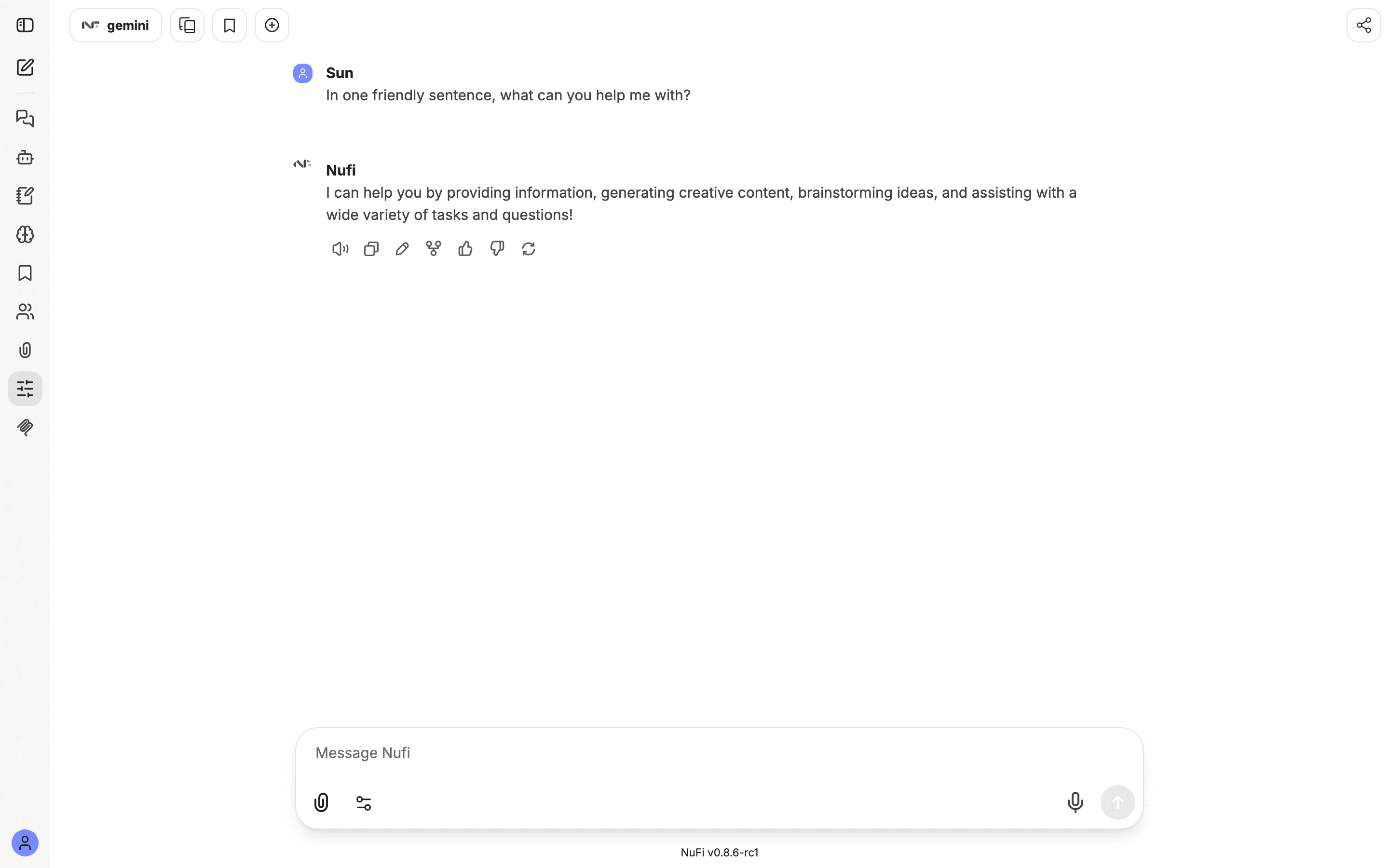
chat.nufi.me. You land on a new chat with an empty box at
the bottom that says Message, followed by the name of the model or
agent that will answer — NuFi in the screenshots here.While a reply is streaming, Stop cancels it. Afterwards, Regenerate asks for a different answer to the same message.
The answer toolbar
Hover a reply and a row of small buttons appears under it, left to right:
| Button | What it does |
|---|---|
| Speaker | Reads the reply aloud — see Speech |
| Copy | Copies the reply |
| Edit | Changes the message and, if you want, asks again |
| Fork | Starts a new conversation from this point (Advanced mode) |
| Thumbs up / down | Rates the answer for your administrators |
| Regenerate | Asks for a fresh answer |
| Continue | Appears when a reply stopped early; asks the model to carry on |
Edit and try again
Click the pencil on a message you sent and change the wording. Then:
- Save & Submit sends the edited message and gets a new reply. The original stays: small arrows under the message let you switch between the two versions, so you can compare answers to two phrasings.
- Save just fixes the text of the message without asking again.
Your conversations
The left sidebar lists your chats under Today, Yesterday, Previous 7 days and Previous 30 days. The pencil-and-square icon at the top starts a New chat; Search messages finds a conversation by any word you remember from it.
Hover a conversation for its menu: Rename, Duplicate, Archive, Delete. Archived chats leave the list but are kept — Settings → General → Archived chats lists them and brings one back.
Temporary chat
Temporary Chat at the top-right starts a conversation that is not saved. Close it and it is gone. Use it for one-off questions you do not want in your history.
Share or export a conversation
Share in the top bar creates a link to the conversation. Anyone in your organisation who is signed in can open it; the link does not work for people outside. Your name, and anything you add after sharing, stay private. Settings → Data controls → Shared links lists every link you have made and lets you delete one.
Export, in the same menu, saves the conversation as a file in the format you choose.
In Advanced mode
These appear once you switch to Advanced:
- Add multi-conversation in the top bar opens a second conversation beside the first — the quickest way to compare two models on one question.
- Bookmarks: the tag icon in the top bar puts a named tag on the conversation, and the Bookmarks panel in the rail lists them.
- Fork, under any message, starts a new conversation that keeps everything up to that point.
/at the start of the message box inserts a saved prompt — see Models and presets.
Limits
The app is shared across your organisation, so requests are rate-limited. If you send very quickly you get "Too many requests. Try again later" — wait a few seconds. Spend is measured centrally by your administrators; nothing in the app asks you to top up.