
Basic and Advanced mode
A new account shows a deliberately simple interface. Most of what this manual describes is one switch away.
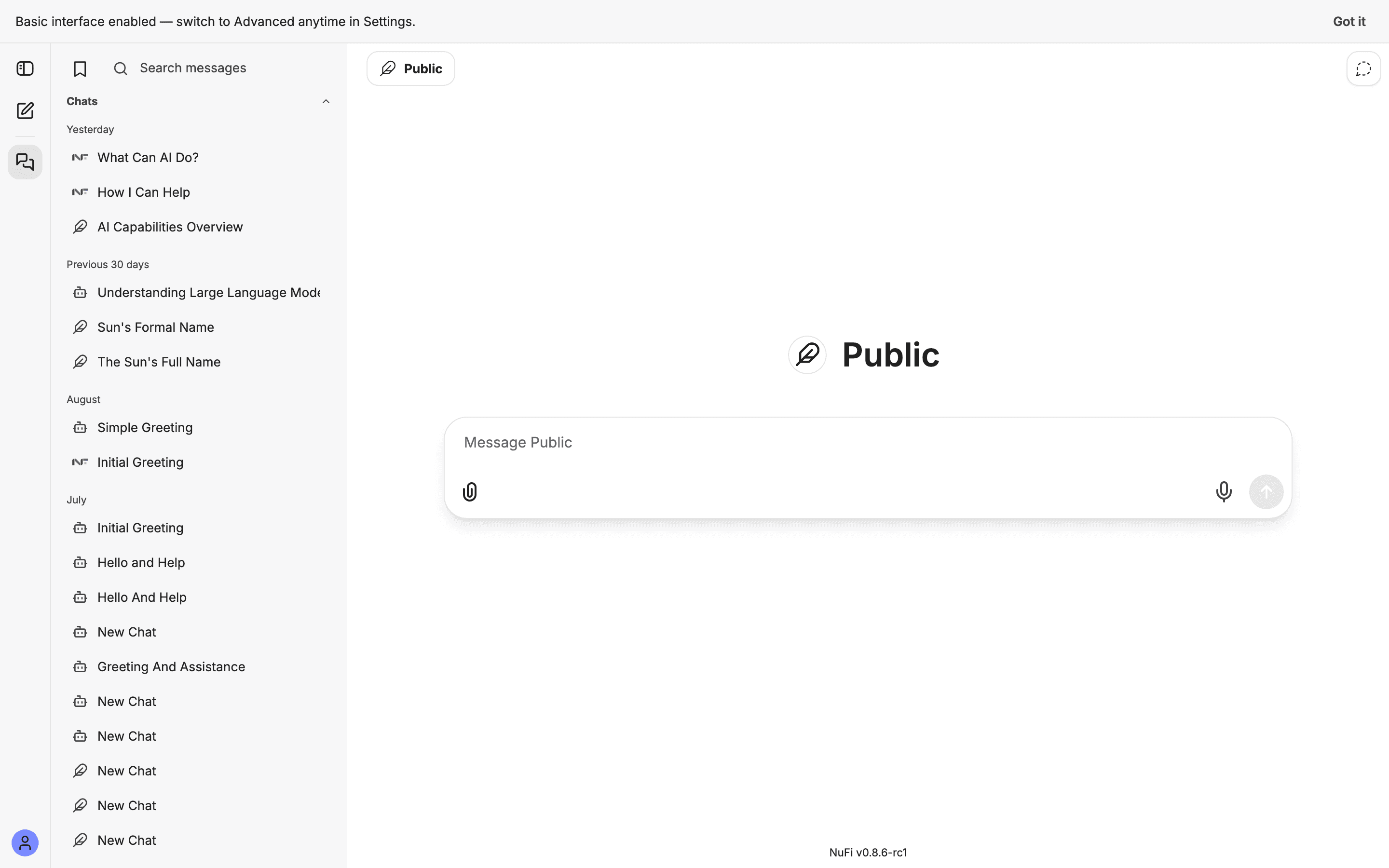
The NuFi app has two interface modes, and every account starts in Basic. Basic is the app as a chat window: a message box, a model, your conversation history, files, and speech. Nothing else is on screen.
Everything else — agents, skills, saved prompts, presets, bookmarks, teams, the Tools menu, the Parameters panel, forking a conversation — is in Advanced. The features are still there; Basic simply hides them.
When you first sign in, a banner says so: "Basic interface enabled — switch to Advanced anytime in Settings."
Switching
Either of these, and the change is immediate:
- Open the avatar menu at the bottom-left and click Advanced. The same entry reads Basic when you are in Advanced, so it is also the way back.
- Open Settings → General → Interface and choose Advanced.
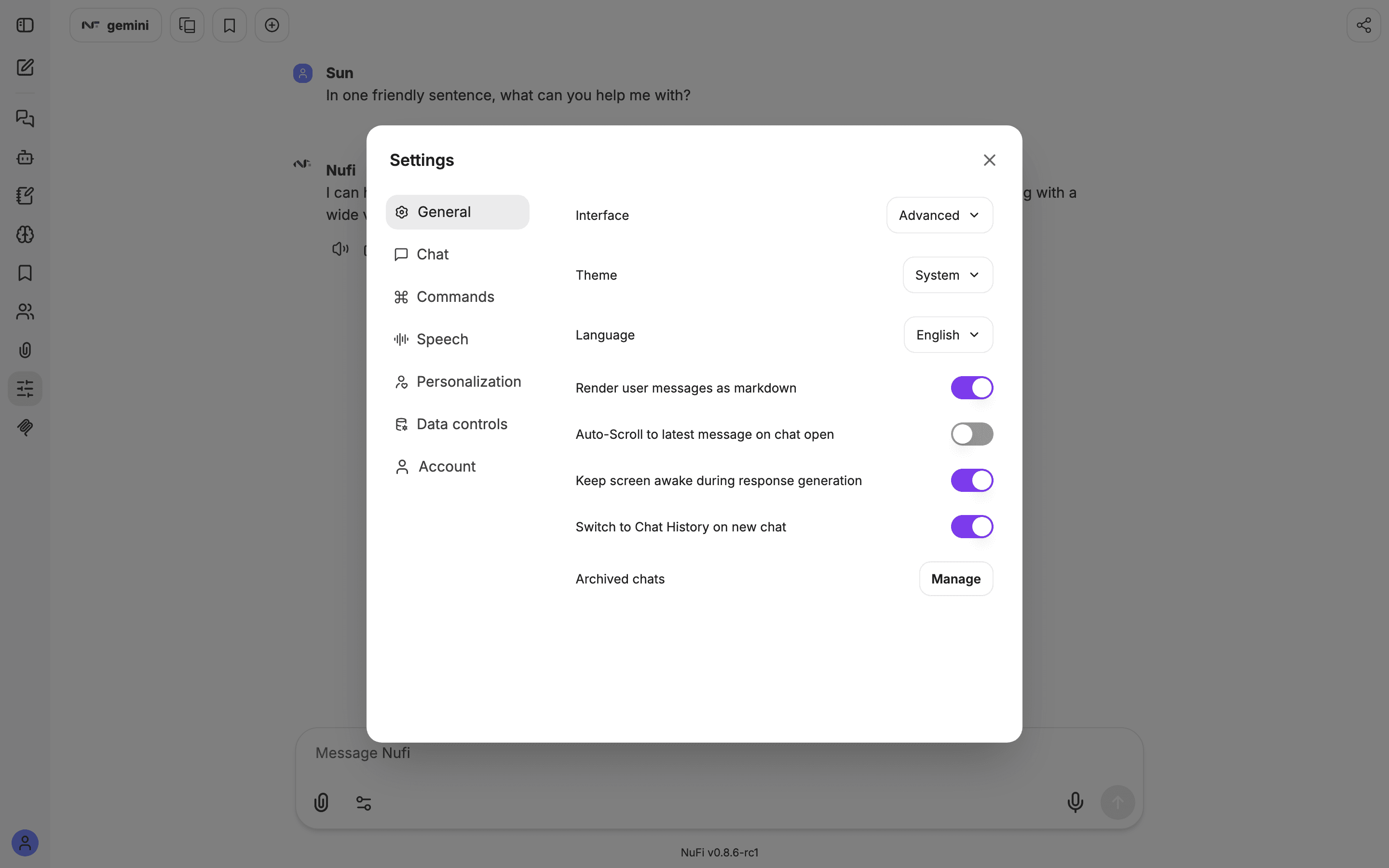
The setting is remembered by your browser, not your account. A different browser, a private window, or cleared site data starts in Basic again.
What Advanced adds
| Where | In Advanced you also get |
|---|---|
| Left icon rail | Agent Builder, Skills, Prompts, Memories, Bookmarks, Teams, Parameters, MCP servers |
| Top bar | Presets, the bookmark tag, Add multi-conversation |
| Message box | The Tools menu (sliders icon), when you are chatting with a plain model rather than an agent |
| Under a reply | Fork |
| Settings | The Chat and Commands tabs |
Advanced never grants you something your administrator has not enabled. A panel that is missing in Advanced is missing because it is off for your organisation, not because of the mode.
Which should I use?
Stay in Basic if you want an assistant that answers questions. Switch to Advanced the first time a page in this manual tells you to open something you cannot find — each such page says so at the top.