
Generate and iterate on images
Create images from a description and refine them across a few turns.
Describe what you want and NUFI can generate an image for you — then change it by describing the edit, keeping every version along the way.
What you'll need
- Image generation enabled for your organisation. (If you don't see an image tool, ask your admin.)
Steps
Turn on the image tool from the Tools menu (or type /image at the start
of the box if your deployment uses that).
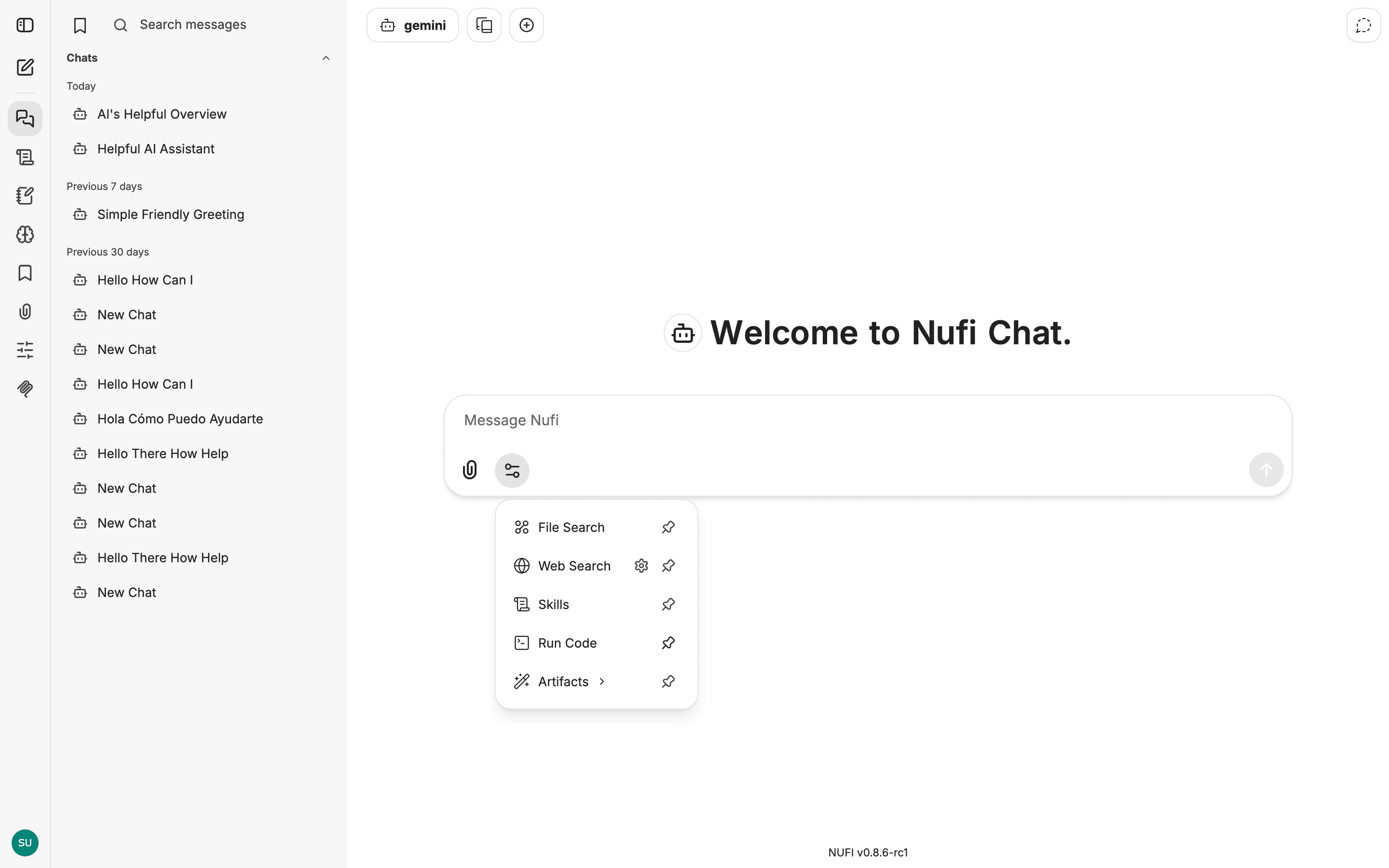
Describe what you want — subject, style, and lighting all help:
A watercolour fox reading a book in a cosy library, soft pastel colours, dawn lighting.
NUFI returns the image in the conversation and saves it to your account.
Edit it by describing the change in your next message — you keep both versions:
Make the sky purple and add a moon.
What you get
Generated images and their iterations, saved to your account under the avatar menu → My Files.
Make it better
- Be specific about style and lighting — vague prompts give generic results.
- Iterate in small steps — change one thing at a time.
- Try different models — each produces a different look.